
iOS & Android App Development Best Practices for Modern Businesses
- Andrew Smith
- 2 min read
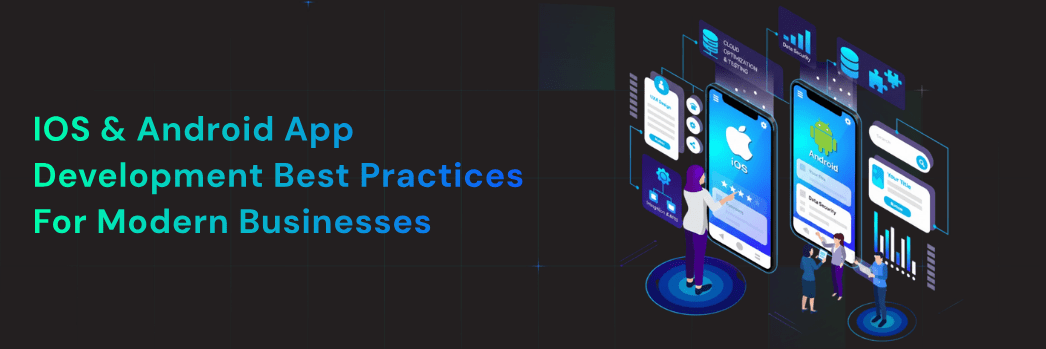
Building a mobile app for your business? You’re making a smart move. More people than ever before use their phones to shop, work, and connect. But creating an app that people love takes more than just a good idea.
This guide will walk you through the best practices for building iOS and Android apps that work well, look great, and help your business grow.
Why Mobile Apps Matter for Your Business?
Your customers spend hours on their phones every day. A well-made app puts your business right in their pocket. It makes buying easier, builds loyalty, and keeps customers coming back.
The numbers tell the story. People spend 90% of their mobile time using apps, not websites. If you want to reach them, you need to be where they are.
Planning Your App the Right Way
Start with Your Users
Before you write a single line of code, understand who will use your app. What problems do they face? What do they need? How do they use their phones?
Talk to real customers. Watch how they interact with similar apps. This research saves you time and money later.
Choose Your Platform Wisely
You have three main choices:
- Native iOS apps run only on iPhones and iPads. They’re fast and smooth but require separate development for Android.
- Native Android apps work on Android phones and tablets. Like iOS apps, they perform well but need their own development process.
- Cross-platform apps work on both iOS and Android from one codebase. Tools like React Native and Flutter make this possible. You save time but might sacrifice some performance.
For most businesses, starting with one platform makes sense. Pick the one your customers use most. You can always expand later.
Design That Works
Keep It Simple
Your app should feel natural from the first tap. Users shouldn’t need instructions to figure it out.
Use familiar patterns. Put navigation where people expect it. Make buttons look like buttons. Don’t reinvent the wheel.
Follow Platform Guidelines
Apple and Google each have design rules for their platforms. iOS apps should feel like iOS apps. Android apps should feel like Android apps.
These guidelines exist for good reason. They make apps consistent and easy to use. When you follow them, users feel comfortable right away.
Design for Different Screen Sizes
Phones come in many sizes. Your app needs to look good on all of them. Test on small phones, big phones, and tablets.
Use flexible layouts that adjust to different screens. Make touch targets big enough for thumbs. Leave enough space between buttons so people don’t tap the wrong thing.
Writing Clean Code
Build for Performance
Slow apps frustrate users. Fast apps keep them happy.
Optimize images before adding them to your app. Load data in the background so users don’t wait. Cache information when possible so the app works offline.
Test your app on older phones, not just the newest models. If it runs well on a three-year-old device, you’re doing it right.
Write Code Others Can Read
You won’t be the only person touching this code. Other developers will work on it too. Maybe even you, six months from now.
Use clear names for variables and functions. Add comments to explain tricky parts. Logically organize files. Your future self will thank you.
Plan for Growth
Your app will change over time. You’ll add features, fix bugs, and update designs.
Build with this in mind. Keep different parts of your app separate so you can update them independently. Use version control like Git to track changes.
Security Comes First
Protect User Data
People trust you with their information. Treat it carefully.
Encrypt sensitive data both when you store it and when you send it. Use secure connections (HTTPS) for all network requests. Never store passwords in plain text.
Follow privacy laws like GDPR and CCPA. Tell users what data you collect and why. Give them control over their information.
Update Regularly
Security threats evolve constantly. Your app needs to keep up.
Update third-party libraries when new versions come out. Fix security issues immediately. Monitor for vulnerabilities in your code.
Testing Makes Perfect
Test Early and Often
Don’t wait until the end to start testing. Find bugs early when they’re easier to fix.
Write automated tests for critical features. They catch problems before users do. Run these tests every time you change code.
Test on Real Devices
Simulators and emulators are useful, but they’re not the same as real phones. Test on actual devices to catch issues that only show up in the real world.
Get a variety of devices. Old ones, new ones, different brands. Test on both iOS and Android if you’re building for both.
Get Real User Feedback
Beta testing helps you find problems you missed. Give your app to a small group before the full launch.
Listen to their feedback. Watch how they use it. You’ll discover issues and opportunities you never considered.
Launching Successfully
Prepare Your App Store Listings
Your app store page is your storefront. Make it count.
Write a clear description that explains what your app does and why it matters. Use screenshots that show your best features. Add a short video if you can.
Pick the right keywords so people can find your app when they search. But don’t stuff them in unnaturally.
Plan Your Marketing
Don’t just launch and hope people find you. Tell them about it.
Use social media, email, and your website. Reach out to tech bloggers who cover apps like yours. Consider paid ads if your budget allows.
Get reviews early. Ask your beta testers and early users to leave ratings. Good reviews help new users trust your app.
After Launch: Keep Improving
Monitor Performance
Watch how your app performs in the real world. Track crashes, slow screens, and errors.
Use analytics to understand how people use your app. Which features do they love? Which ones do they ignore? This data guides your updates.
Listen to Users
Read reviews and respond to them. Check support emails. Join conversations about your app on social media.
Users tell you exactly what they want. Sometimes they complain, but that’s valuable information. Fix the problems they report.
Update Regularly
Apps need care and feeding. Release updates every few months with new features and fixes.
Tell users what changed in each update. Thank them for using your app. Show that you’re actively making it better.
Working with the Right Team
Hire Experience
Good developers cost more but save you money in the long run. They build better apps faster and with fewer problems.
Look for developers with apps in their portfolio. Check their reviews. Talk to their past clients.
Consider Your Options
You can hire in-house developers, work with a development agency like DigiAuxilio, or use freelancers. Each option has pros and cons.
In-house developers know your business well but cost more. Agencies bring expertise and team support. Freelancers offer flexibility but require more management.
Communicate Clearly
Whatever team you choose, stay involved. Set clear goals and deadlines. Review progress regularly. Good communication prevents surprises.
Budget for Success
Understand the Costs
App development isn’t cheap, but it’s an investment in your business.
Simple apps might cost $20,000 to $50,000. Complex apps with many features can run $100,000 or more. Cross-platform development usually costs less than building separate native apps.
Don’t forget ongoing costs. Hosting, updates, support, and marketing all require budget.
Start Small, Grow Smart
You don’t need every feature on day one. Launch with core functionality that solves your users’ main problem. Add more features based on feedback and data.
This approach costs less upfront and reduces risk. You learn what works before investing heavily.
The Future of Mobile Apps
Technology keeps changing. New frameworks, devices, and user expectations emerge constantly.
Stay curious. Follow industry news. Attend conferences or webinars. Keep learning about what’s possible.
Consider emerging trends like AI integration, augmented reality, and voice interfaces. But only add them if they truly help your users.
Your Next Steps
Building a successful mobile app takes planning, skill, and ongoing effort. But the rewards make it worthwhile. A great app strengthens your brand, serves your customers, and grows your business.
Start by clearly defining your goals. Understand your users deeply. Choose the right platform and team. Build with quality and security in mind. Test thoroughly before launching. Then keep improving based on real feedback and data.
At DigiAuxilio, we’ve helped businesses build apps that users love and that drive real results. Whether you’re just starting to explore app development or ready to begin building, we’re here to guide you through every step.
Your customers are waiting for an app that makes their lives easier. Are you ready to build it?

Frequently Asked Questions
How long does it take to build a mobile app?
A simple app usually takes 3 to 4 months from start to finish. More complex apps with many features can take 6 to 12 months or longer. The timeline depends on your app’s features, platform choice, and team size. Planning and design take 2 to 4 weeks, development takes the bulk of the time, and testing adds another 2 to 4 weeks.
Should I build for iOS or Android first?
Look at where your customers are. If most use iPhones, start with iOS. If they use Android phones, build for Android first. You can also check your website analytics to see which platform your visitors use most. Many businesses start with one platform, get user feedback, then expand to the other.
What’s the difference between native and cross-platform development?
Native apps are built specifically for one platform using platform-specific languages. They perform better and feel more natural but require separate development for iOS and Android. Cross-platform apps use one codebase for both platforms, saving time and money, but might not perform quite as well or access all device features as easily.
How much does app maintenance cost?
Plan to spend about 15% to 20% of your initial development cost each year on maintenance. This covers bug fixes, updates for new operating system versions, server costs, and minor improvements. More active development and new features cost extra.
Do I need a privacy policy for my app?
Yes. If your app collects any user data, you need a privacy policy. This includes information like email addresses, location data, or usage statistics. Both Apple and Google require privacy policies, and laws like GDPR and CCPA make them mandatory. Make your policy clear and easy to understand.
How do I monetize my mobile app?
You have several options. Charge users to download the app (paid apps). Offer it free with ads (ad-supported). Use in-app purchases for extra features or content. Offer subscriptions for ongoing access. The best choice depends on your business model and what your users will accept.
What makes users delete apps?
The main reasons are: the app crashes frequently, it drains battery too quickly, it takes up too much storage space, it’s too slow, it has annoying ads, or users simply don’t need it anymore. Focus on performance, useful features, and respectful design to keep users engaged.
How important are app store ratings?
Very important. Most people check ratings before downloading an app. Apps with ratings below 3 stars struggle to attract new users. Encourage happy users to leave reviews, respond professionally to negative feedback, and fix issues quickly to maintain good ratings.
Search
Recent Post
- The Impact of AI in Mobile App Development on Modern Apps
- How Digital Marketing Helps Businesses Grow in Today’s Competitive Market
- End-to-End Healthcare Mobile App Development for Secure & Smarter Patient Care
- Why Laravel Is the Best PHP Framework for Enterprise Web Apps?
- Testing Strategies for Bug-Free Mobile App Launches
- How to Secure a Website in 10 Simple Ways
Categories
- Blog (57)
- Cybersecurity (1)
- It Solution (2)
- Mobile App (20)
- option1 (1)
- option2 (1)
- QA Testing (4)
- UX Design (2)
- Website Development (6)
- WordPress (3)
Tags
Android App Development
Android App Development Services
Angular vs React
app development
AppDevelopment
app development company in India
App Store Optimization
best app development companies
Custom App Development
Custom App Development Company
Custom mobile app development
Custom web applications
digiauxilio
Digital Auxilio
Digital Marketing Company
Digital marketing services
Ecommerce Development
ECommerce website development
flutter app development
Hire Android App Developers
ios app development
iOS app development company
iOS app development services
mobile app
Mobile App Development
MobileAppDevelopment
mobile app development company
mobile app development company in India
mobile app development services
Mobile Applications
seo
seo company
SEO executives
SEO experts
seo services
Shopify Development
Social Media Marketing
UI/UX Design
UI/UX Designing Services
web apps designed
Web Designing Services
Web development
Website Designs
Website Development
WordPress eCommerce Development
You may also like

The Impact of AI in Mobile App Development on Modern Apps Working with the Right Team Introduction Artificial Intelligence (AI)...


How Digital Marketing Helps Businesses Grow in Today’s Competitive Market Working with the Right Team Introduction Business today is more...
End-to-End Healthcare Mobile App Development for Secure & Smarter Patient Care Working with the Right Team Introduction Imagine a busy...